Back to All Solutions

Solution Detail

Dedicated-Link Quality Monitoring

BestPerf Network Quality Measurement + Flow Hunter Network Traffic Analysis

For long-term link operation and SLA review, correlate RTT, loss, jitter, micro-outages, retransmissions and real session evidence.

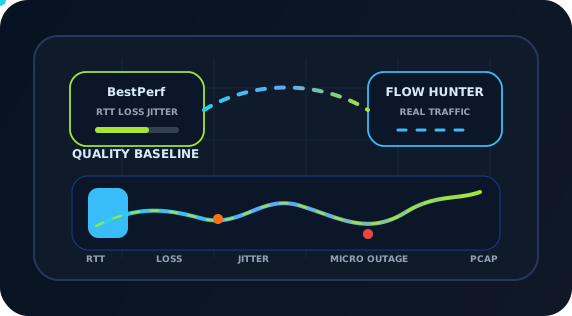
Dedicated-link quality, RTT, loss, jitter and fault isolation diagram

Products

2

Scenarios

6

Evidence

PCAP

Why

Requirements

Intermittent stalls, timeouts, choppy meetings, slow database synchronization, unstable cloud access or peak-hour failures can occur despite normal interface status and bandwidth charts. Causes include increased RTT, directional loss, jitter, micro-outages, routing changes, QoS policies, endpoint congestion or retry amplification.

Ping or a single iperf run is insufficient for long-term SLA reviews. BestPerf maintains active baselines for RTT, directional loss, jitter, micro-outages, TCP goodput and quality under load. Flow Hunter observes real sessions, retransmissions, handshakes, DNS/TLS/HTTP stages and event windows, supporting retrospective analysis and PCAP forensics.
Topology

Test and Deployment Topology

STEP 1BestPerf Nodes at Both Link Endpoints
STEP 2Monitored Dedicated / Cloud / Data Center Link
STEP 3Flow Hunter Passive Live Monitoring
STEP 4Quality Baselines and Event Timeline
STEP 5PCAP Forensics and Retrospective Report

How

Implementation

1

Deploy Active Measurements at Both Endpoints

Run scheduled BestPerf tasks across circuits, headquarters/branches, data centers/clouds, primary/backup links or carrier handoffs. Measure RTT, directional loss, jitter, micro-outages, TCP goodput and load quality during peak, quiet, maintenance and critical business periods.

Product Stack

Main Test and Analysis Tools

Result

Expected Outcomes

Continuous Link Quality Baselines

RTT, loss, jitter, micro-outages and TCP goodput become persistent, comparable and reviewable baselines rather than temporary troubleshooting data.

Tie SLA Disputes to Time Windows and Evidence

Provide active measurements, real sessions and PCAP evidence from the same window when carriers, cloud providers or internal teams disagree on responsibility.

Connect Live Monitoring with Retrospective Analysis

Flow Hunter observes application state during faults and retrieves session and protocol evidence afterward, reducing the risk of missing the incident.

Produce Reviewable Reports and Evidence

Deliver more than throughput or delay figures: include topology, parameters, timelines, quality curves, key sessions, anomalies, PCAP extracts and retest results. Development, testing, operations, vendors and customers can discuss the same evidence rather than relying on screenshots, verbal descriptions and repeated debate.

References

Related Standards and Methods

Next Step

Need to Apply This Solution to Your Network?

NetAccura can create a test topology, parameter table and POC plan based on your links, models, application protocols, available PCAPs and SLA goals.