Back to All Solutions

Solution Detail

Real-Time Media Quality and Impairment Testing

WebRTC/RTC, VoIP, Conferencing and Interactive Streaming Validation

Validate real-time media QoE under loss, jitter, reordering, bandwidth reductions, handovers and background load. Translate stalls, corruption, broken audio and join failures into repeatable metrics, protocol evidence and PCAP samples.

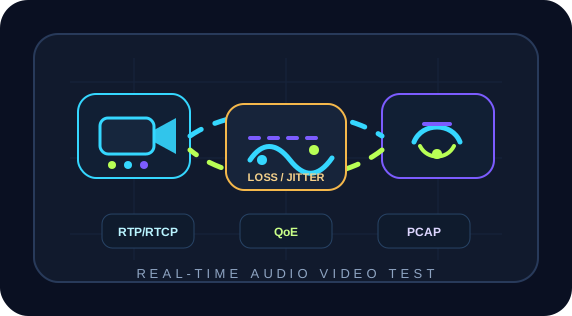
Real-time media quality and impairment testing diagram

Products

4

Scenarios

8

Evidence

PCAP

Why

Requirements

Real-time media depends on delay, jitter, loss, reordering, bitrate adaptation, keyframe recovery, A/V synchronization and handovers. A brief stall may involve wireless switching, upstream congestion, RTP loss, RTCP feedback, SIP/SDP negotiation, TURN/media relay changes or server limits.

RTP/RTCP in RFC 3550 provides transport, timestamps, sequence numbers and quality feedback. SDP in RFC 8866 describes sessions, while WebRTC standardizes real-time media/data. Tests must examine media, signaling, networks and QoE together, not bandwidth alone.

For conferencing, classes, telemedicine, live interaction, dispatch, contact centers, cloud meetings and RTC SDKs. Combine repeatable impairment profiles, load, PCAP replay and passive analysis to distinguish link, endpoint, media-server, signaling, codec and QoS causes.
Topology

Test and Deployment Topology

STEP 1RTC / WebRTC Endpoints
STEP 2ChaosBridge Impairment Emulation
STEP 3NetAccura Traffic Generation Background Load
STEP 4Media / Signaling Servers
STEP 5BestPerf and Flow Hunter QoE Evidence

How

Implementation

2

Build Impairment Profiles

Use ChaosBridge for asymmetric or burst loss, dynamic jitter, reordering, bandwidth reductions, outages, roaming micro-interruptions and handovers. Match profiles to mobile work, campus Wi-Fi, international links, satellite, mining/military circuits or telemedicine.

3

Generate Conference and Background Loads

Generate multiple streams, frame sizes, upstream bursts and multi-port background traffic alongside real media. Observe QoS, queue scheduling and bandwidth guarantees during peaks. Replay anonymized PCAPs to reproduce customer issues.

4

Analyze Signaling and Media Passively

Flow Hunter observes SIP/SDP, TLS/HTTP, RTP/RTCP, DNS, retransmissions, durations and PCAPs at exits, media servers, core switches or TAPs. For WebRTC, correlate ICE/TURN paths, directions, loss recovery and bitrate changes by time window.

Product Stack

Core Emulator and Supporting Tools

Result

Expected Outcomes

Turn Subjective Stalls into Diagnostic Evidence

Map stalls, corruption, high delay, audio gaps and join failures to latency, jitter, RTP/RTCP loss, signaling, DNS/TLS/HTTP and PCAP evidence.

Maintain Media Robustness through Regression

Profiles and PCAPs enable repeat tests after client, SDK, server, QoS and network changes, detecting experience regressions before release.

Validate Capacity and Experience Together

Traffic Generation adds load, BestPerf supplies baselines and Flow Hunter supplies session evidence to separate capacity, link, media-policy and endpoint issues.

Produce Reviewable Reports and Evidence

Deliver more than throughput or delay figures: include topology, parameters, timelines, quality curves, key sessions, anomalies, PCAP extracts and retest results. Development, testing, operations, vendors and customers can discuss the same evidence rather than relying on screenshots, verbal descriptions and repeated debate.

References

Related Standards and Methods

Next Step

Need to Apply This Solution to Your Network?

NetAccura can create a test topology, parameter table and POC plan based on your links, models, application protocols, available PCAPs and SLA goals.