Universities and Research Institutes
Build repeatable experimental environments for network protocols, distributed algorithms and collaborative systems.
- Controlled Conditions for Multi-Node Experiments
- Algorithm and Parameter Comparisons
CHAOSBRIDGE · WAN EMULATOR APPLICATIONS
Multiple Links, Independent Network Conditions
Use NetAccura WAN emulators for distributed network emulation. Set separate network conditions for endpoints, edge nodes and central clouds to support research, multi-node coordination and distributed system testing.

Independent Link Configuration
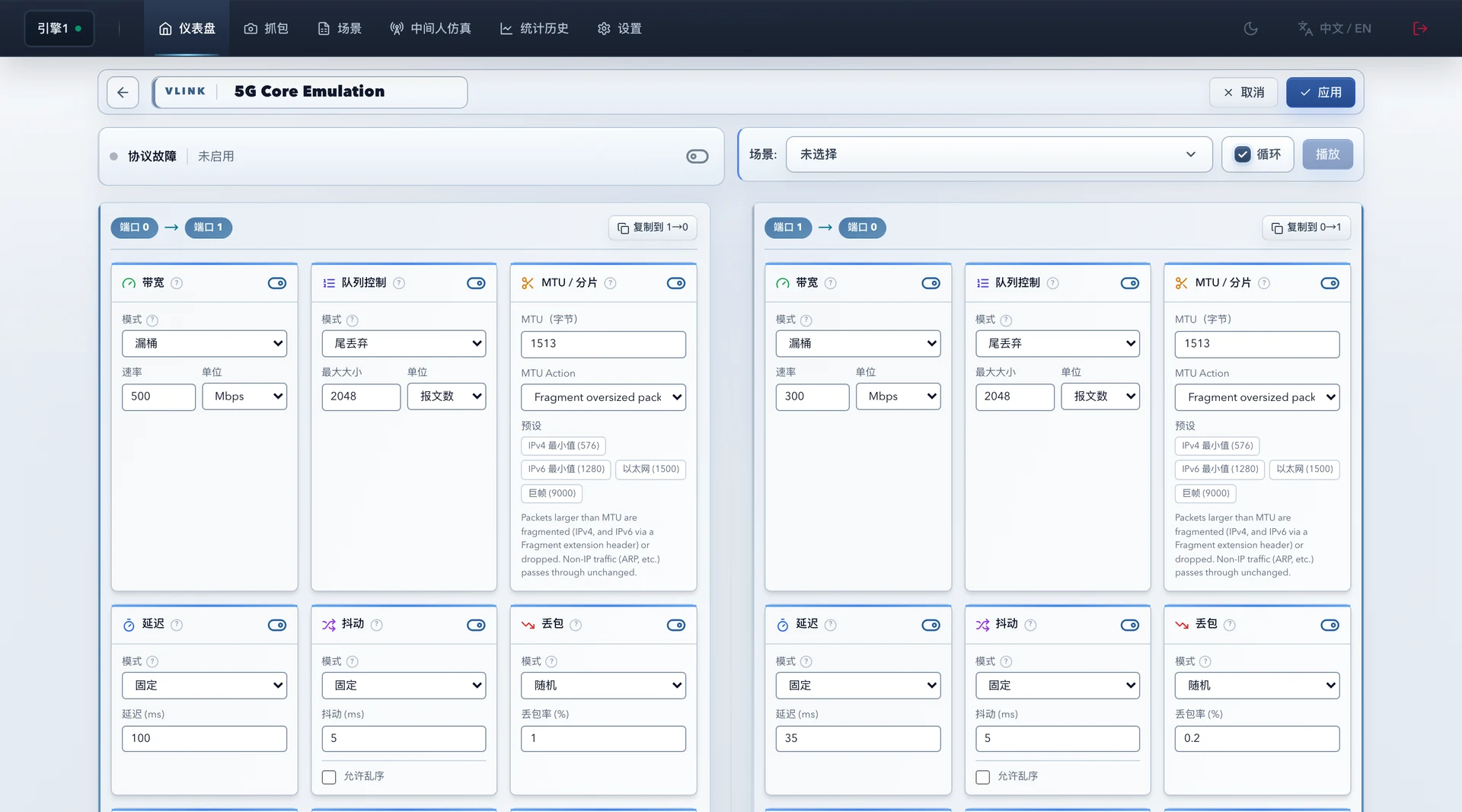
Distributed Network Test Scenarios
Include inter-node network conditions in your experiments and observe system behavior as links change.
Build repeatable experimental environments for network protocols, distributed algorithms and collaborative systems.
Set separate endpoint-to-edge and edge-to-cloud conditions to test task allocation and data synchronization.
Apply different conditions to control, video and data links to observe system response and recovery from lost connections.
Reproduce cross-region access and inter-node network variation to check service coordination and data consistency.
Reusable Experiment Configurations
Connect test links through the WAN emulator and separate them using ports and traffic filters.
Set delay, loss, bandwidth and duration for each stage, then save the test scenario.
Reuse scenarios to compare algorithms or versions, and integrate them into experiment scripts through the REST API.
NetAccura WAN Emulator · ChaosBridge
Select a NetAccura WAN emulator configuration based on node count, topology, port speeds and emulation requirements.