1
Define the DUT and Test Model
Identify L2 switching, L3 forwarding, firewall, VPN, load-balancing or gateway functions. Configure ports, VLANs, routing, ACLs, security policies and persistence rules.
Solution Detail
NetAccura Traffic Generation Performance Tester + ChaosBridge WAN Emulator
Validate processing limits under realistic load, background traffic and impaired links for selection, pre-deployment testing, regression and capacity planning.
Core Emulation Equipment
Products
4
Scenarios
6
Evidence
PCAP
Why
Device datasheets usually state theoretical throughput, while deployments depend on packet sizes, ACLs, NAT, sessions, security policies, routing tables, broadcast/management traffic and bursts. RFC 2544 emphasizes received-frame verification and evidence such as loss, reordering, duplicates and sequence gaps in benchmarking.
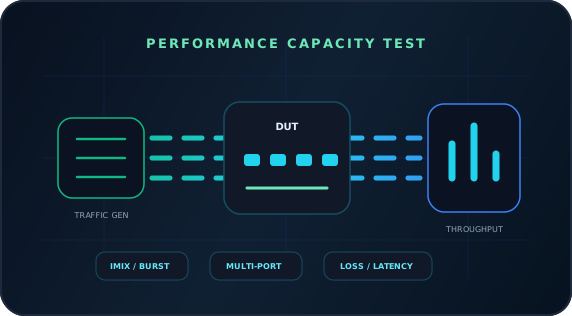
Large-packet throughput alone misses production risks. NetAccura Traffic Generation provides multiple ports, frame sizes, IMIX, bursts and endurance tests; ChaosBridge adds delay, loss, jitter and rate limits; BestPerf observes end-to-end quality; Flow Hunter analyzes session and protocol anomalies.
Topology
How
Identify L2 switching, L3 forwarding, firewall, VPN, load-balancing or gateway functions. Configure ports, VLANs, routing, ACLs, security policies and persistence rules.
Generate fixed sizes, IMIX, variable addresses/ports, concurrent streams, bursts and endurance traffic. Add management, broadcast, east-west background and multi-service port models for more realistic conditions.
Insert ChaosBridge to emulate cross-region links, poor circuits, burst loss or bandwidth reductions. Check for throughput collapse, session resets and queue buildup.
Passively capture the test path with Flow Hunter. Inspect retransmissions, failed connections, protocol timings and sessions to separate device capacity, policy bottlenecks and link effects.
Product Stack
Core Emulation Equipment
Optional Supporting Tools
NetAccura Traffic Generation
Generate L2-L3 test streams. Software models also replay Ethernet PCAPs, rewrite IPv4 addresses and TCP/UDP ports, and multiply traffic for performance, security detection and issue reproduction. Stop all transmit tasks before switching modes. Simultaneous generation and replay require separate devices.
BestPerf
Actively measure RTT, directional loss, jitter, micro-outages, TCP goodput and quality under load to establish link baselines.
Flow Hunter
Capture passively through mirrored ports or TAPs for L2-L7 analysis, session investigation, protocol-stage diagnosis and PCAP export.
Result
Report stable processing ranges across packet sizes, session counts, policies and impairment conditions, not just maximum throughput.
Find CPU bottlenecks, table limits, policy overhead, burst-handling weaknesses and endurance issues before deployment.
Deliver more than throughput or delay figures: include topology, parameters, timelines, quality curves, key sessions, anomalies, PCAP extracts and retest results. Development, testing, operations, vendors and customers can discuss the same evidence rather than relying on screenshots, verbal descriptions and repeated debate.
References
For validating throughput, loss, forwarding, frame-size combinations, filtering and behavior under abnormal conditions.
Explains the relationship between end-to-end TCP throughput, RTT, bottleneck bandwidth, buffering and user experience.
Next Step
NetAccura can create a test topology, parameter table and POC plan based on your links, models, application protocols, available PCAPs and SLA goals.