Independently Developed in China · NetAccura
WAN Emulator and Network Emulation Solutions
Reproduce complex network conditions for controlled, repeatable tests
Reproduce delay, loss, jitter, bandwidth variation and outages in mobile, satellite and wired networks in the lab. Validate application experience, device performance and distributed system stability.
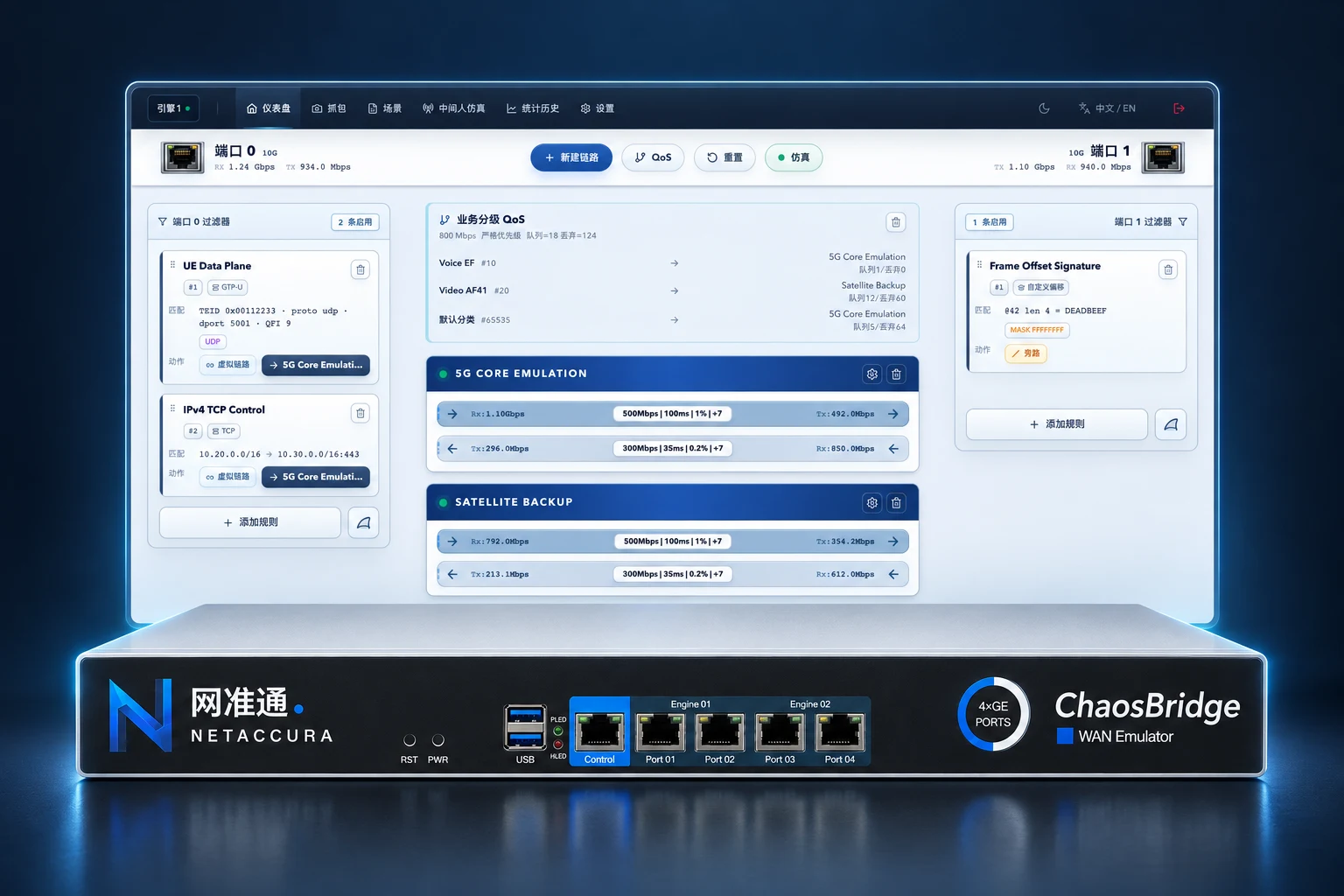
Why Choose NetAccura WAN Emulators
Make complex networks reproducible and product validation more reliable.
Intuitive and Easy to Use
Set network conditions and test scenarios in just a few steps. A graphical Web interface brings link parameters and live status together for straightforward configuration.
Large-Scale Emulation, Flexible Configuration
Support for up to 4096 virtual links—over 10 times the capacity of some comparable products. The series covers 1G–400G with independently configured directions and multiple port options.
Comprehensive Network Emulation
Integrate 11 link impairment types, protocol fault injection, scenario orchestration, man-in-the-middle emulation and multi-point capture, from building network conditions to analyzing results.
Automate More of Your Testing
Use the standard RESTful API from any programming language without a dedicated SDK. Integrate scenario replay and result queries into regression testing.
Direct Support from Specialists
With thirteen years of network testing experience, our core team works directly on requirements, product selection and test validation to answer your technical questions.
Fast Development and Delivery
An automated validation environment connects development and testing to respond quickly to custom requests, with individual features delivered as quickly as the same day.
Specialists in Network Impairment Emulation Thirteen Years of Specialist Experience
From Reproducing Network Conditions to Validating Test Results
Match product selection, scenario configuration and technical support to your test target, link count and acceptance criteria, with clear methods and results you can review.


Founder Yongrui Deng
Experience across product management, technical support and project delivery
- Entered the Network Testing Industry
- 2010Year
- Participated in LEO inter-satellite network emulation projects in 2015
- Network Labs Helped Build
- 100+Labs
- Businesses Served
- 500+Companies
NetAccura · High-Bandwidth Network Emulation
400G WAN Emulator
Validate Complex Networks at Application Speeds
Reproduce delay, loss, jitter and bandwidth variation on high-speed links in the lab. Validate data center interconnects, AI clusters and backbone networks under complex conditions.
Two independent single-port 400G adapters achieve 400Gbps line-rate processing with 512-byte packets, making 400G impairment testing accessible to small and midsize organizations.
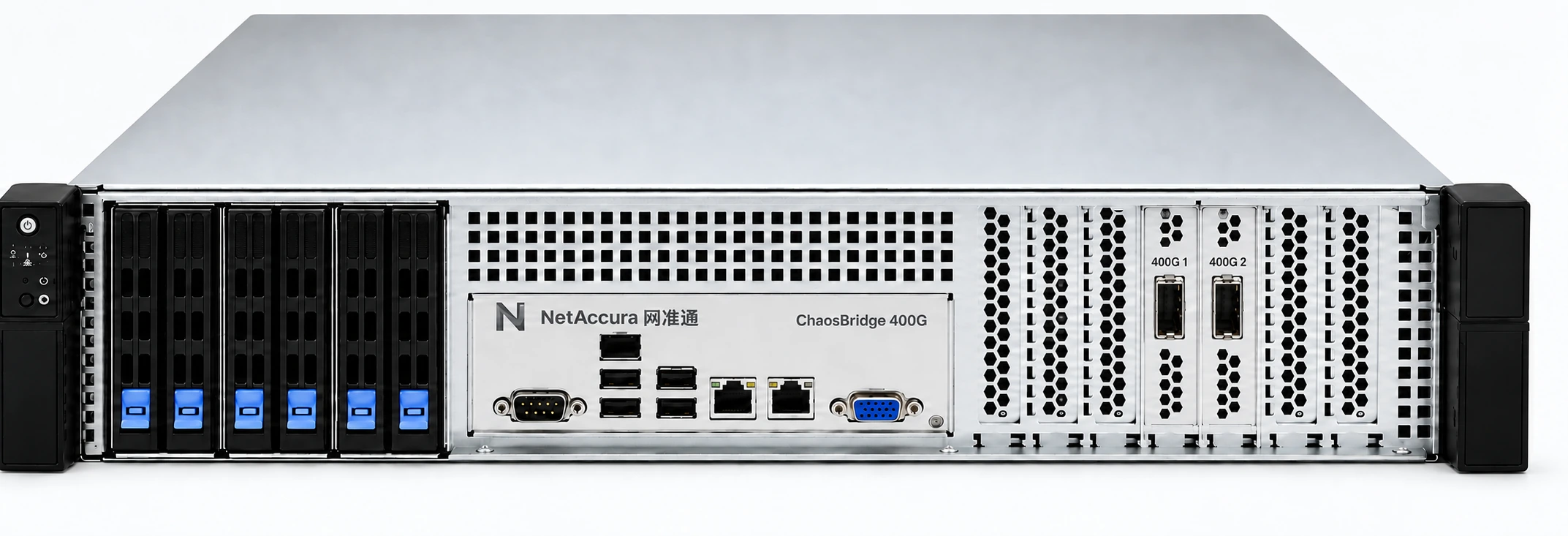
- Two Adapters, One 400G Port Each
- 2 × 400G
- Packet Size for Line-Rate Processing
- 512 Bytes
- Line-Rate Processing with 512-Byte Packets
- 400 Gbps
Complex network conditions,
Intuitive Configuration
Configure each direction in one interface. Combine delay, loss, jitter and other impairments to reproduce the asymmetry and variation of real links.
11 Link Impairments, Independently Configured in Each Direction
- Delay
- Packet Loss
- Jitter
- Bandwidth Limiting
- Reordering
- Copy
- Packet Modification
- Bit Errors
- Queue Control
- MTU Fragmentation
- Background Traffic
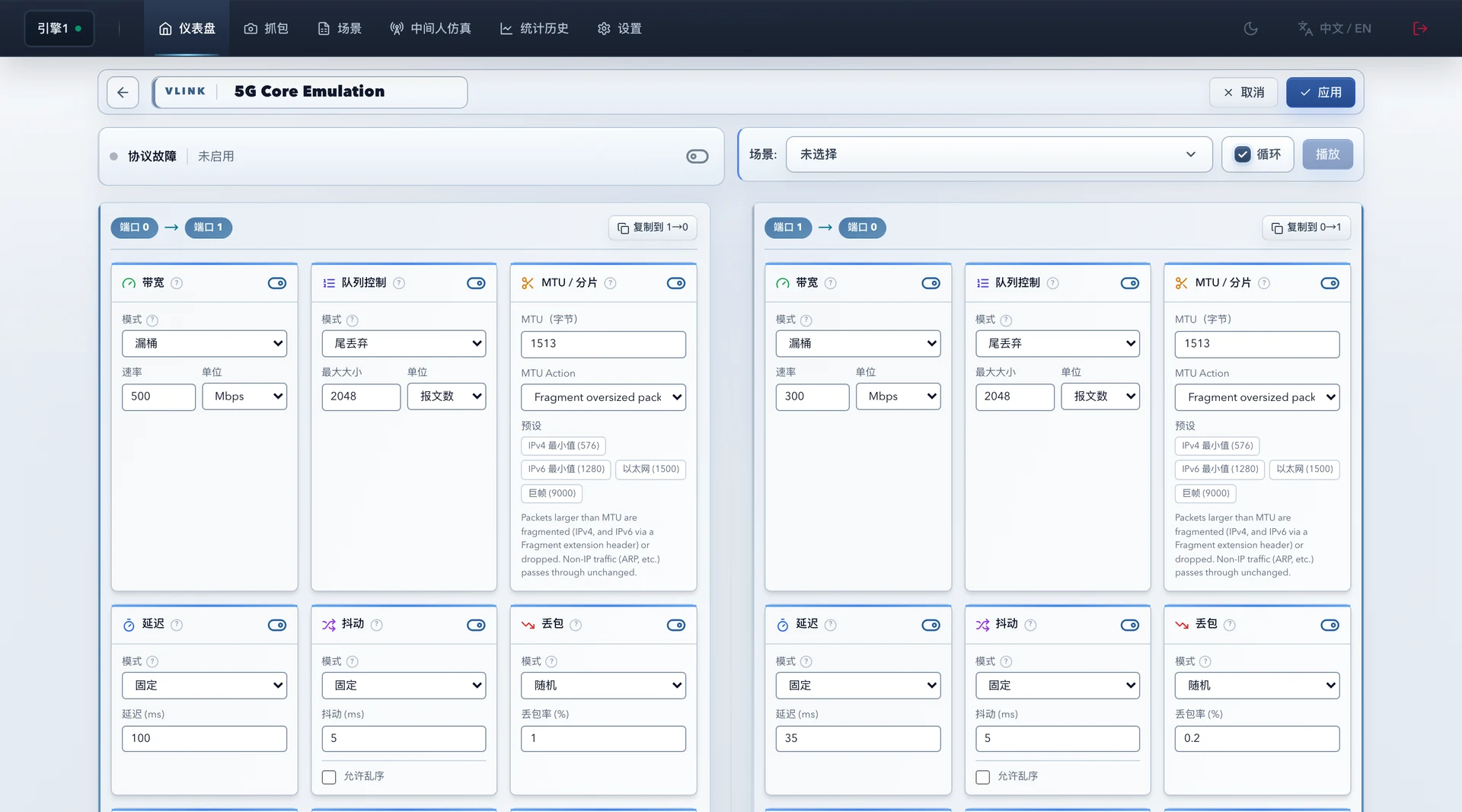
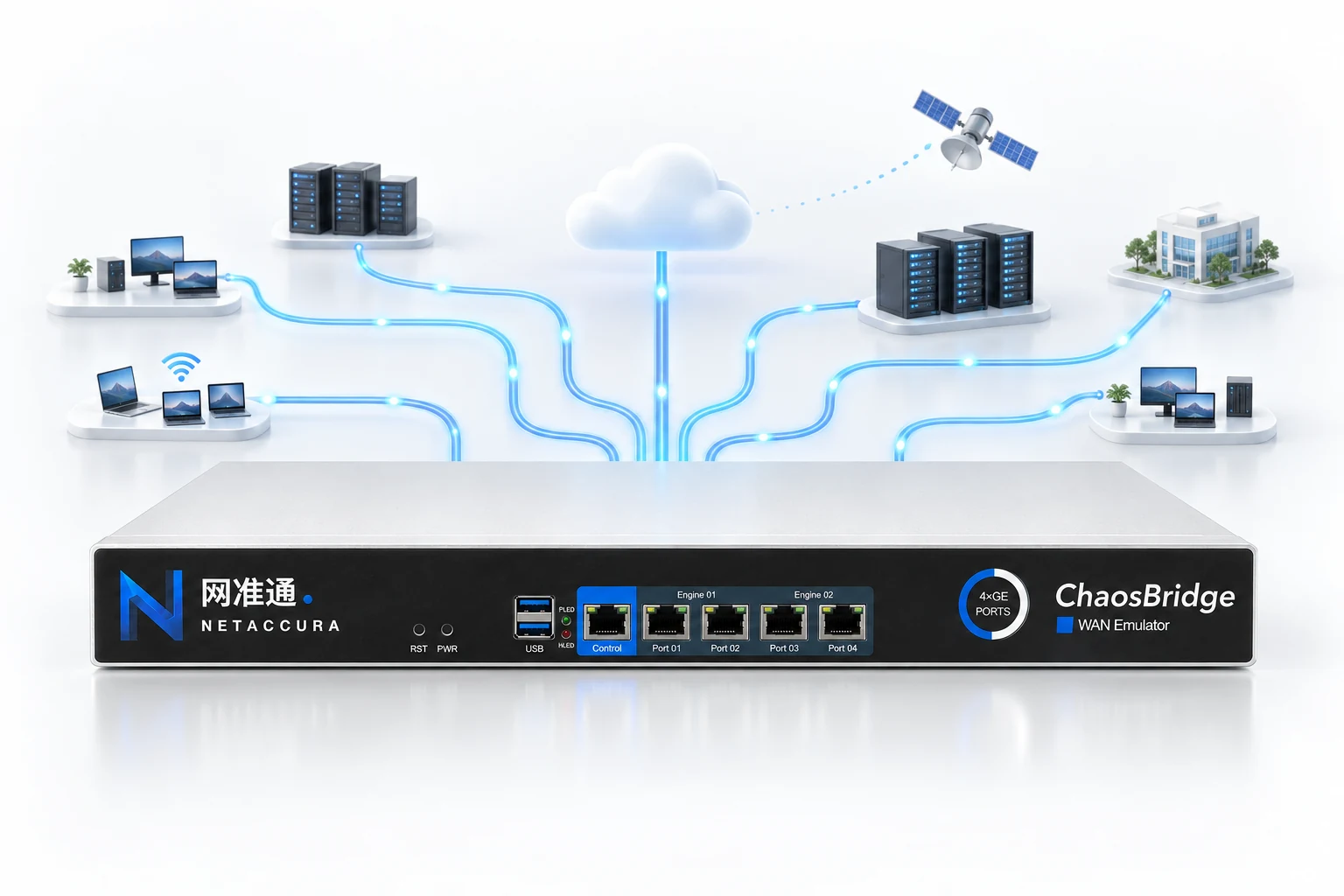
Multi-Link Network Emulation
Up to 4096 Virtual Links Independent Settings for Multiple Tests
Assign different network conditions to traffic flows to emulate multiple links in one test environment. Configure bidirectional impairments independently for each virtual link to keep tests separate.
- Match traffic by IP, port, protocol and application characteristics
- Set delay, loss and bandwidth independently for each link
- Build test environments with multiple engines and ports
Protocol-Level Fault Injection
Reproduce protocol faults
consistently
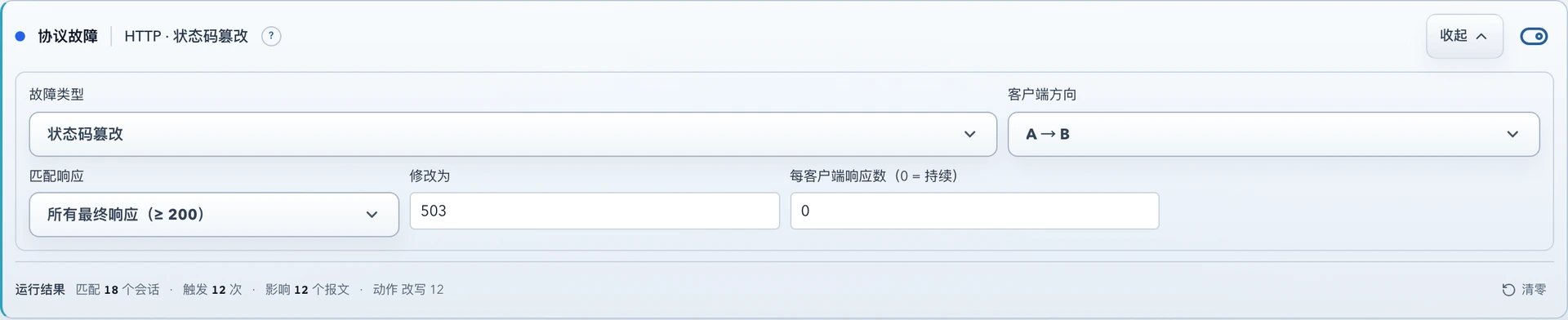
Trigger faults by protocol fields and session state. Create abnormal responses, handshake failures and disconnections to test application timeouts, retries, degradation and recovery.
- DNS No Response, Delayed Responses and Value Rewriting
- Plaintext HTTP/1.x Status-Code Rewriting and Response Delay
- TLS / TCP Handshake Delay, Interruptions and Connection Faults
- IPv4 / IPv6 Single-Stack Failure, ICMP Delay and Loss

Scenario Orchestration and Replay
Turn network changes
into test scenarios
Combine bidirectional impairments in timed stages so delay, loss and bandwidth change automatically as a test runs. Configure stable operation, degradation, brief outages and recovery once, then repeat.
- Set Duration and Bidirectional Impairments for Each Stage
- Reuse 5G, Wi-Fi, Enterprise and Satellite Templates
- Loop Replay, Saved Scenarios and JSON Import/Export
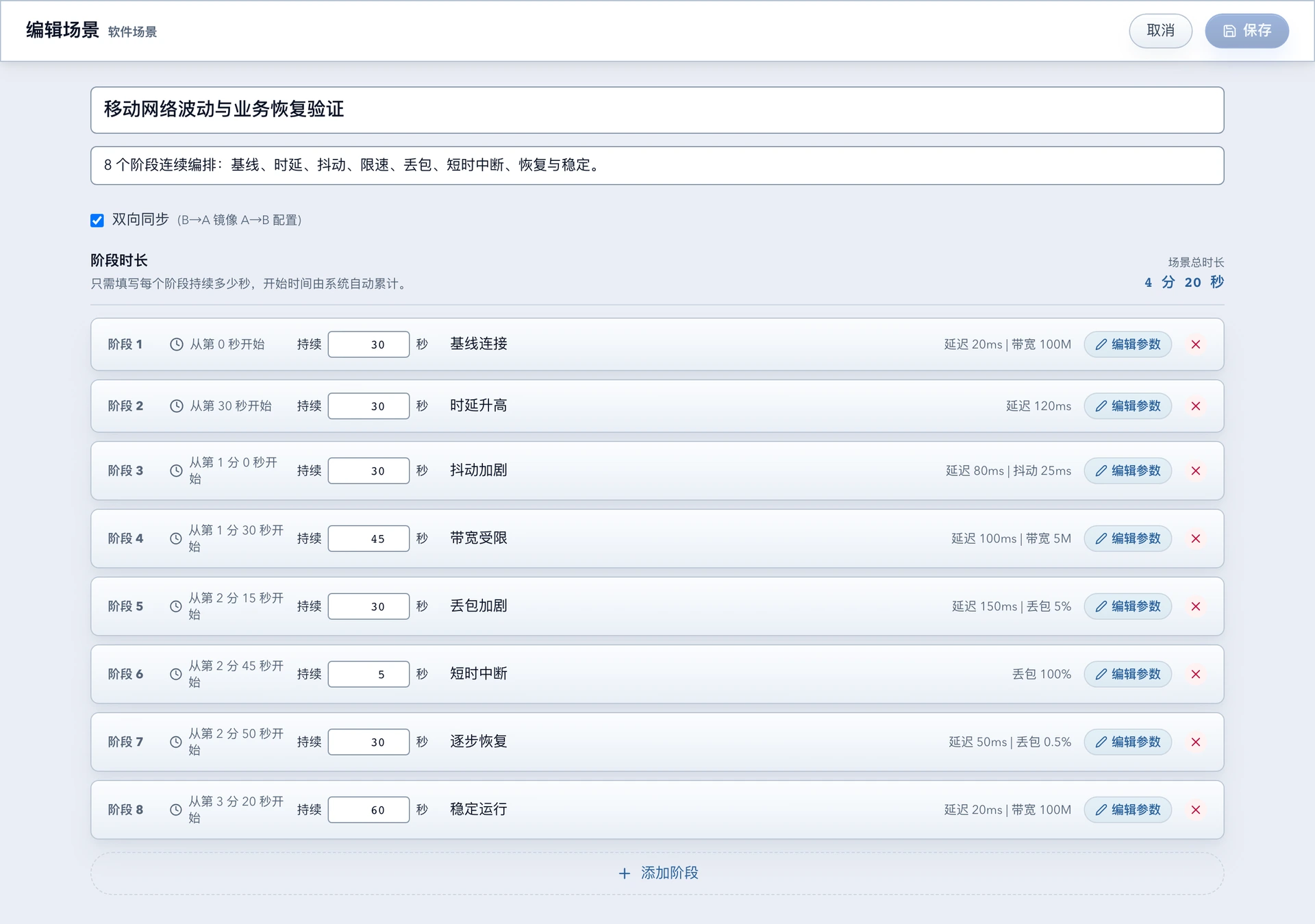
- 01Baseline Connection
- 02Increased Delay
- 03Increased Jitter
- 04Limited Bandwidth
- 05Increased Loss
- 06Brief Outages
- 07Gradual Recovery
- 08Stable Operation
Man-in-the-Middle Emulation · PCAP Packet Interaction
Drive packet interactions
with test logic
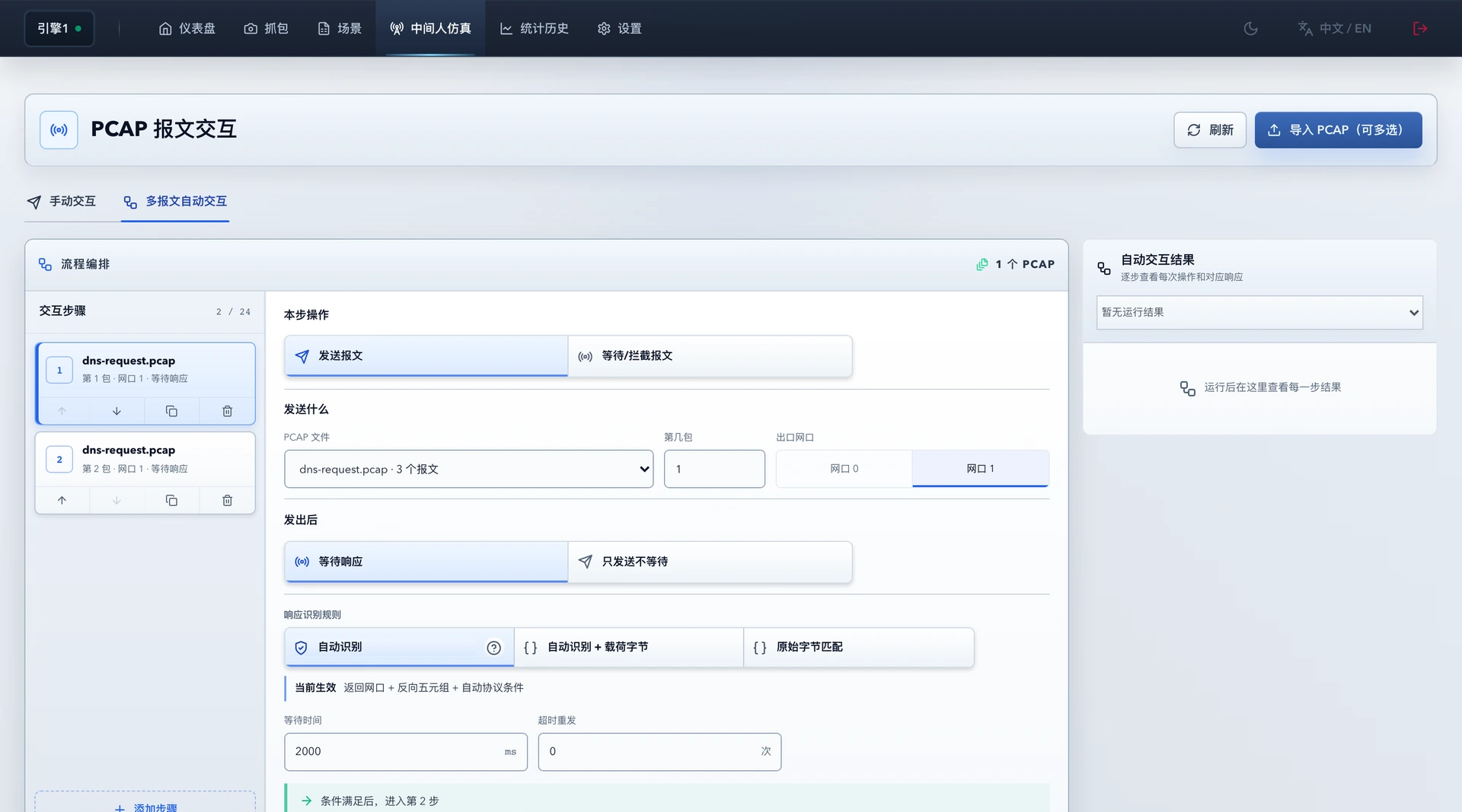
Select PCAP packets to transmit, identify replies and advance according to response conditions. Turn single requests, multi-step exchanges and abnormal responses into repeatable tests.
- Manual Interaction and Automatic Multi-Packet Exchanges
- Match Responses by Protocol Characteristics or Payload Conditions
- Configure Wait Times and Timeout Retries, and Review Each Step
Packet Capture and Analysis
Observe network impairments
and see how packets change
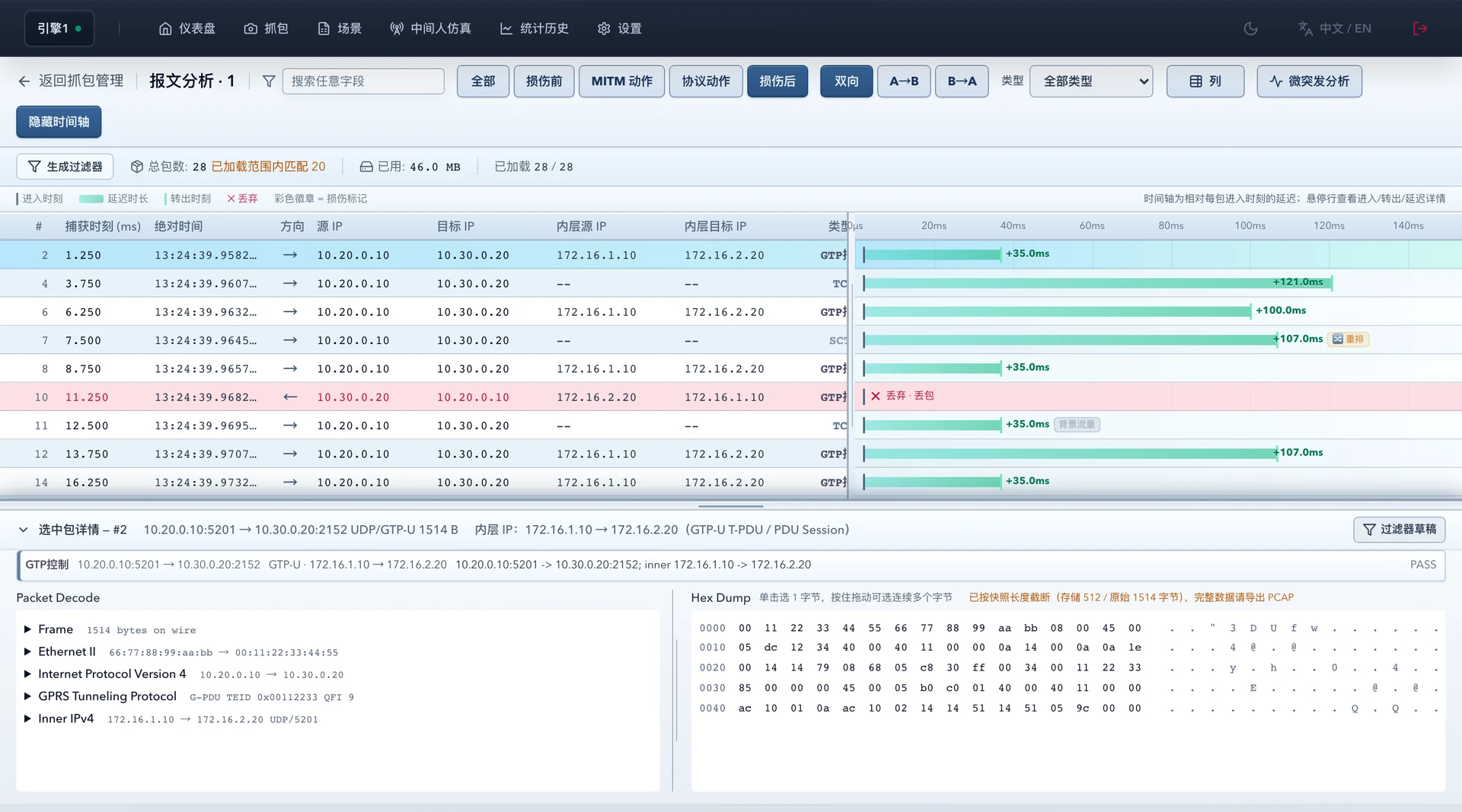
Capture at multiple processing points and analyze packets online. Use packet timelines, protocol decoding and impairment markers to identify where delay, drops and reordering occur.
From Fault Trigger to Packet Evidence
Review each test using protocol actions, impairment markers and endpoint behavior. Export packets for further analysis.
User Manuals and API Documentation · Explore Technical Resources
Standard RESTful API
Automate control
in your preferred language
No Dedicated API SDK Required
Control the device using standard HTTP requests and JSON from Python, Java, JavaScript, C#, Go, C++ and other languages, and connect it to your test platform.
Connect link configuration, scenario execution, statistics and packet analysis into automated regression workflows.
Explore API Documentation and Integration Support/api/v1/enginesDiscover Device Capabilities
/api/v1/virtual-links/{id}Set Link Parameters
/api/v1/stats/virtual-linksRead Test Statistics
NetAccura Technical Adviser
Get help with difficult problems
and time-consuming work
A NetAccura technical adviser helps with product questions, troubleshooting and writing or debugging automation scripts. Share your issue and test goals to simplify repetitive work.
- Usage Advice and Troubleshooting
- Understand features and parameters, organize symptoms, and identify investigation methods and resolution steps.
- Scripts in Your Preferred Language
- Request automation support in any programming language, including scripting, error analysis and improvements.
- Let Scripts Handle Repeated Work
- Script batch configurations, scenario rotation, statistics collection and result organization to reduce repeated clicks and manual tasks.
Automated Closed-Loop Validation · Fast Custom Development
Turn your requirements
into capabilities faster
A comprehensive automated validation environment links development, testing and result checks, enabling rapid feature extensions, custom test workflows and system integration.
Individual requests, delivered as quickly as the same day 。
Discuss Custom Development- 01
Requirements and Acceptance Goals
Define the test target, expected behavior and deliverables
- 02
Development and Automated Tests
Implement the feature and run tests against the defined goals
- 03
Result Validation and Regression
Check results, apply corrections and validate again
Delivery and Usage Support
Deliver the feature and help integrate it into your workflow
Customer Adoption
They Chose NetAccura
CAICT TAIER Laboratories
Selected NetAccura WAN Emulators
- Bambu Lab
- Maipu
- Century Games
- CETC 28th Research Institute
- Tange
- Xuanji Technology
- Yitong Communications Technology
- Wasion Technology
Applications
Bring Real Network Challenges into the Lab
WAN Emulator · Application Topics
Network Devices and SD-WAN
Reproduce quality differences across links to validate routing, graceful degradation and failover.
Satellite and Long-Distance Communications
Combine long delays, varying bandwidth and periodic outages to test protocol adaptability and remote service stability.
5G Networks and Protocol Testing
Combine link impairments, traffic filters and protocol faults to validate fault tolerance and recovery.
Real-Time Media and Application Experience
Simulate congestion, loss, jitter and brief outages to observe stalls, reconnection and service recovery.
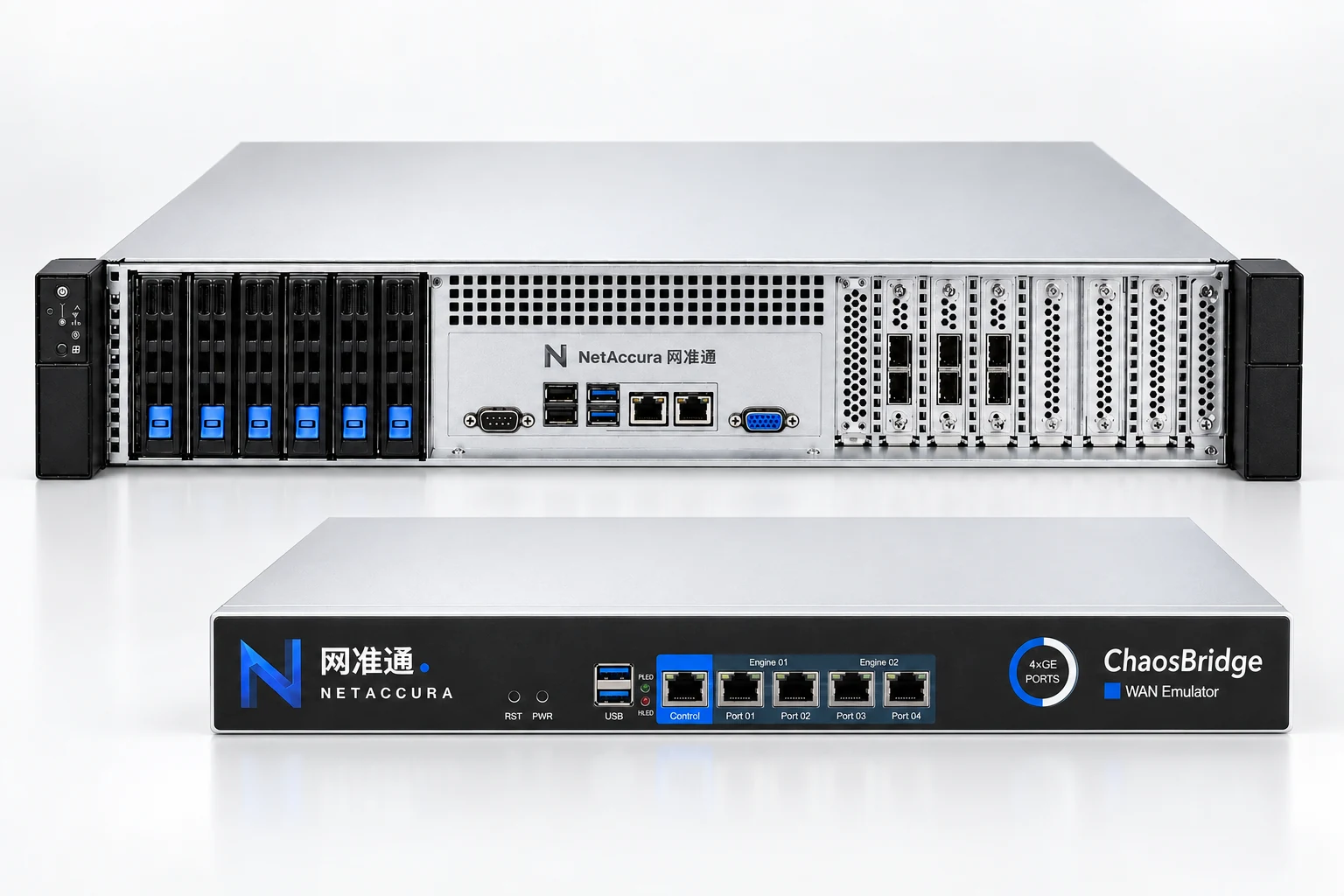
WAN Emulator Series
Models and Port Configurations
The product range covers 1G–400G , with configurations for basic links, multiple ports and high-bandwidth testing at your scale.
View Full Specifications| Port Speed | Available Port Counts |
|---|---|
| 1G | 2–24 Gigabit Ports |
| 10G | 2–24 10G Ports |
| 25G | 2–26 25G Ports |
| 100G | 2–8 100G Ports |
| 400G | 2 400G Ports |
Outstanding Value
Equivalent features and performance.
Ready to Compare Any Quote.
For equivalent functionality and performance, we offer competitive pricing against any quotation. Share your test requirements and comparison quote so you can evaluate both capabilities and cost.
Get a Comparison QuoteEquivalent Features · Equivalent Performance
More Competitive Pricing
Compare features, performance, port configurations and test goals to select what you need.
Choose the Right WAN Emulator for Your Tests
Tell us your port speeds, link count and test goals. Our specialists will help select a model, configure scenarios and plan validation.