Service Faults
No response, delays and status-code rewriting to test timeouts and retries.
11 Link Impairments · Up to 4096 Virtual Links · 1G–400G
Combine delay, loss, jitter and bandwidth variation on real application traffic to reproduce complex networks for controlled, repeatable tests.
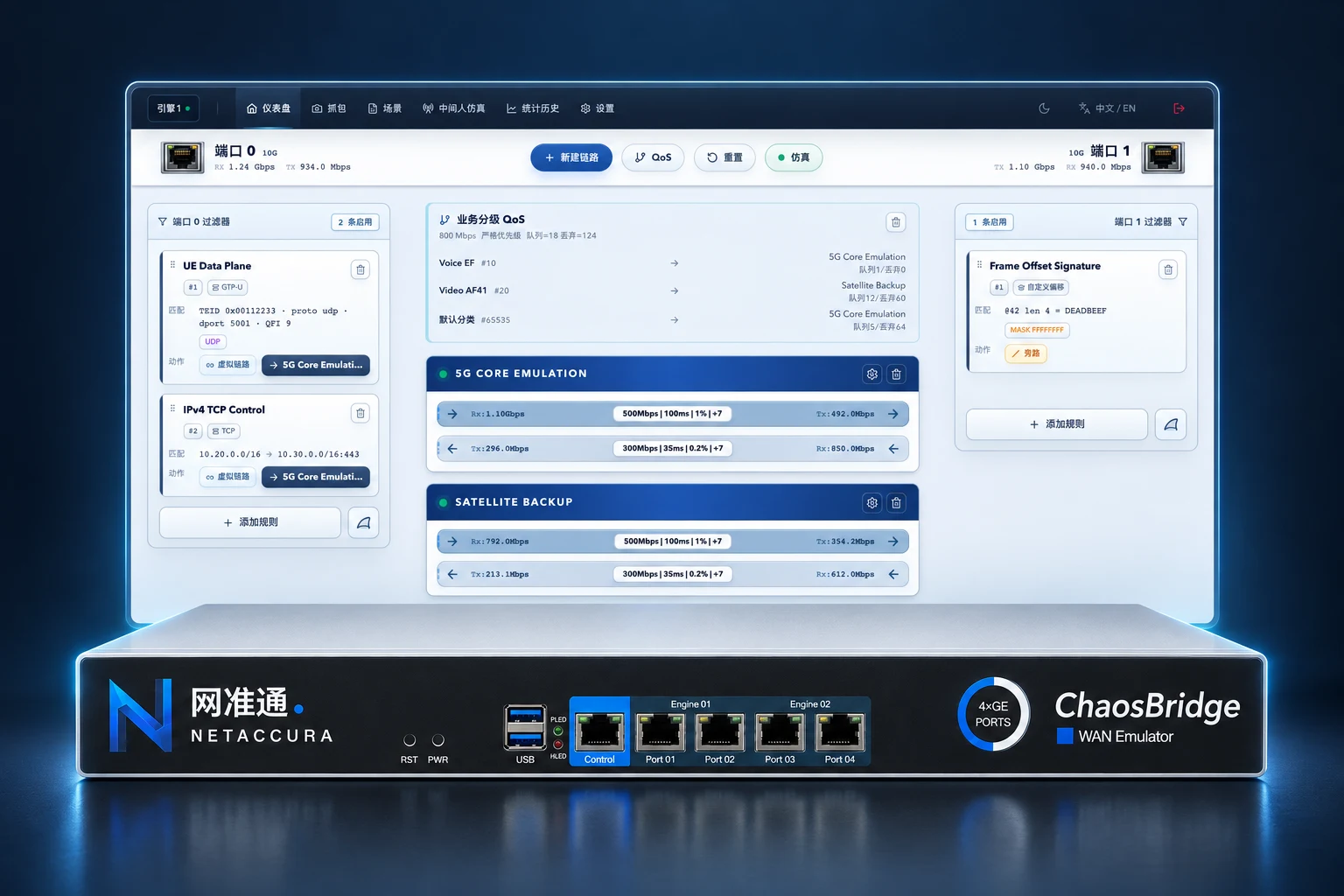
Turn unpredictable field networks into configurable test conditions. Validate service performance and recovery under the same conditions.

Bandwidth Variation · Burst Loss · Brief Outages
Check media stalls, endpoint reconnection and service recovery.
Long Delay · Delay Variation · Link Handover
Validate protocol timeouts, transmission efficiency and post-handover recovery.
Asymmetric Delay · Bandwidth Bottlenecks · Background Traffic
Compare data synchronization, remote access and cross-site service performance.
Configure both directions independently and combine multiple impairments.
A1 B2 C3A1 FF C31010 11001010 1101 IPv4 Datagram Fragment 1 Fragment 2 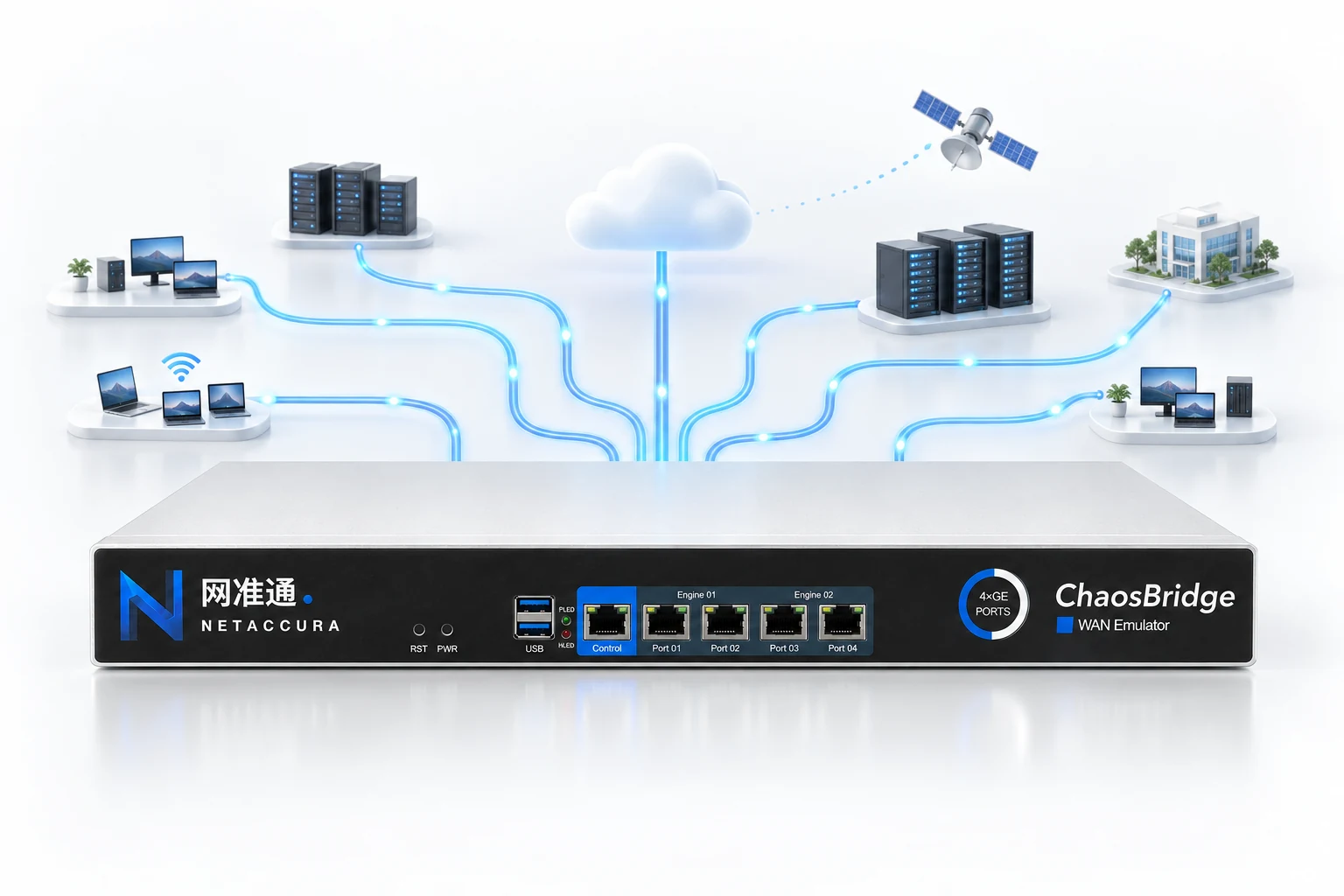
One Appliance, Multiple Network Conditions
Apply different conditions to video, control signaling and data synchronization to test multiple services in one environment.
Set delay, loss and bandwidth changes by stage, save the scenario and run it again. Compare versions under identical network conditions.
Swipe to view the full timeline
Stage durations and parameters for each direction are configurable. The illustration uses 100% loss for a 10-second outage, then restores the initial conditions.
Multi-Point Capture and Analysis Track packet changes before and after impairments. Export captures and review them alongside application logs.
Standard RESTful API
No Dedicated API SDK Required
Configure links, run scenarios and read statistics over HTTP + JSON to integrate with existing automated tests.
View API Examples and Scripts/api/v1/enginesDiscover Device Capabilities
/api/v1/virtual-links/{id}Set Link Parameters
/api/v1/stats/virtual-linksRead Test Statistics
Technical advisers help troubleshoot issues and write automation scripts. Automated validation supports delivery of custom requests as quickly as the same day.
CAICT TAIER Laboratories Also Chose NetAccura WAN Emulators
Validate fault tolerance under protocol errors and complex interactions.
No response, delays and status-code rewriting to test timeouts and retries.
Handshake delays, interruptions and connection failures to test reconnection and recovery.
Advance packet sequences based on response conditions to validate interactions and state handling.
From Multi-Service Emulation to Precision Testing
Choose emulation capabilities and delay requirements first, then select port speeds and counts.
View Product Resources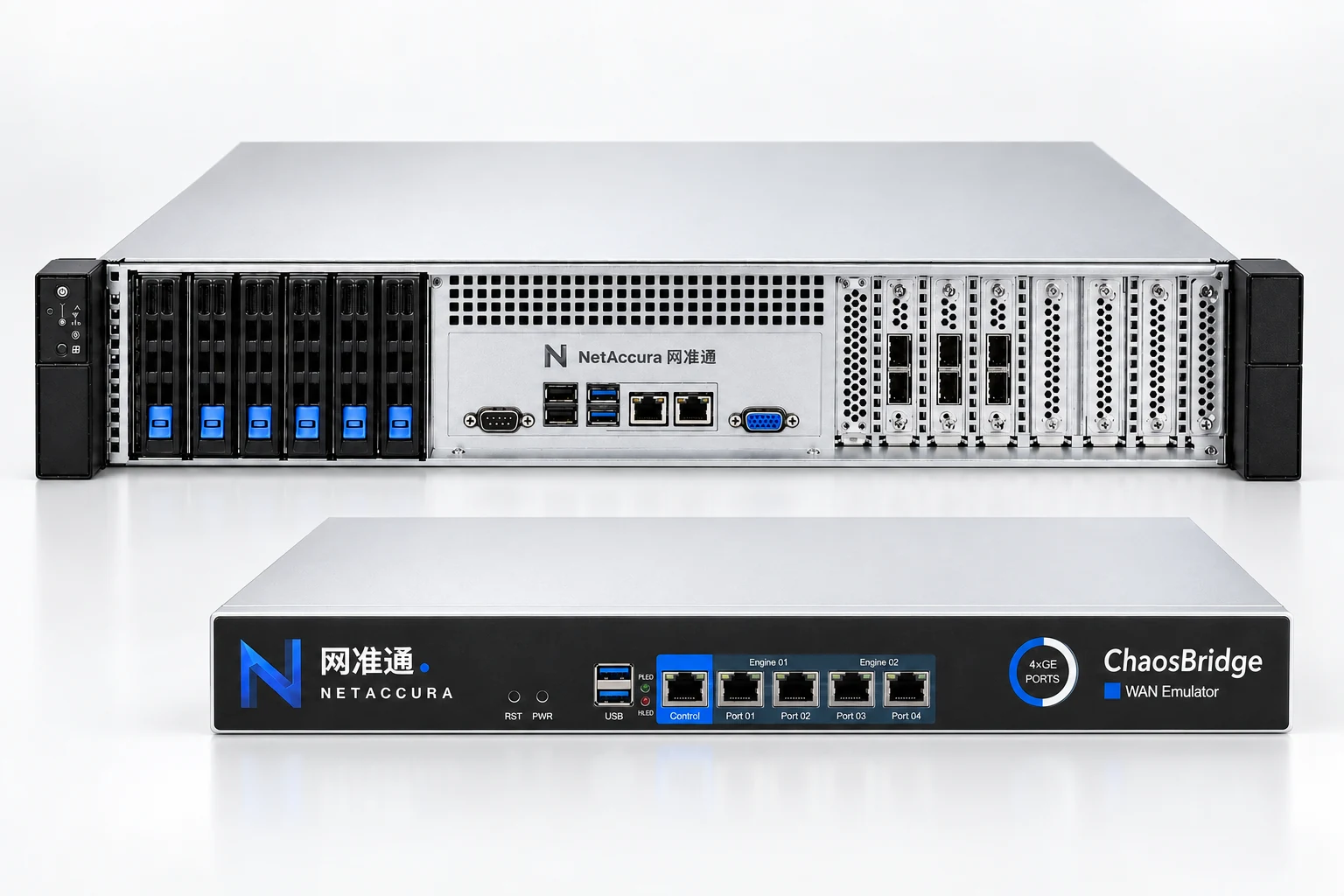
11 link impairments, traffic classification, scenario replay and packet capture analysis.
1G / 10G / 100G Models1 ns resolution with line-rate processing, packet modification and brief link outages.
10GLR / 100GLR ModelsTwo independent single-port adapters deliver 400 Gbps line-rate processing with 512-byte packets.
Discuss 400G Selection0–10 s Delay Range · 10 μs Delay Resolution · Up to 4096 Virtual Links
Swipe to view ports, enclosures and datasheets
| Standard Model | Per-Port Speed | Test Ports | Bidirectional Physical Links | Enclosure | Datasheet |
|---|---|---|---|---|---|
| WE-101 N2G | 1G | 2 × RJ45 Copper Ports | 1 Pair | 1U | PDF(Chinese) |
| WE-101 N4G | 1G | 4 × RJ45 Copper Ports | 2 Pairs | 1U | PDF(Chinese) |
| N6G | 1G | 6 × RJ45 Copper Ports | 3 Pairs | 2U | PDF(Chinese) |
| N24G | 1G | 24 × RJ45 Copper Ports | 12 Pairs | 2U | PDF(Chinese) |
| N60G | 10G | 6 × SFP+ Optical Ports | 3 Pairs | 2U | PDF(Chinese) |
| N240G | 10G | 24 × SFP+ Optical Ports | 12 Pairs | 2U | PDF(Chinese) |
| N100G | 100G | 2 × 100G Optical Ports | 1 Pair | 2U | PDF(Chinese) |
| N200G | 100G | 4 × 100G Optical Ports | 2 Pairs | 2U | PDF(Chinese) |
Every two test ports form one bidirectional physical link. Virtual links apply different network conditions to individual traffic flows.
Supports delay, bandwidth, loss, duplication, reordering, bit errors, packet modification and brief link outages.
1 ns Delay Control Resolution Delay Accuracy ±10 ns
Maximum delay: 800 ms at 10G; 8000 ms at 1G
Maximum delay: 200 ms at 100G
Choose 2–26 25G ports to match the link count in your lab.
For WE-101 and N-series multifunction models in the model table. View FPGA Precision Series Specifications →
| Impairment Types | 11 types: delay, loss, jitter, bandwidth limiting, reordering, duplication, modification, bit errors, queue control, MTU fragmentation and background traffic |
|---|---|
| Advanced Testing Capabilities | Protocol fault injection / active PCAP interaction / scenario replay / multi-point capture and online analysis, depending on engine, license and runtime configuration |
| Core Architecture | In-house line-rate processing + 15-stage pipeline + live configuration updates |
| Port Speed | 1G / 10G / 100G; port counts vary by model |
| Delay Range | 0 - 10,000 ms, independently per direction |
| Delay Control Resolution | 10 μs(0.01 ms) |
| Delay Modes (6) | Fixed / Uniform Distribution / Normal Distribution / Exponential Distribution / Burst / Custom Sequence |
| Loss Modes | Random / fixed ratio / periodic / burst / Gilbert-Elliott Markov |
| Bandwidth Modes (3) | Leaky Bucket / Token Bucket / Dynamic Bandwidth |
| Jitter Modes | Fixed / Uniform / Normal |
| Bit Error Modes | Random bit errors (BER) / per-packet (1–32 bits) / specified range |
| Queue Algorithms | Tail Drop / RED, configurable by packet count or bytes |
| Background Traffic | Generated traffic / PCAP replay with speed scaling, loops and preserved timing |
| Filtering and Traffic Classification | MAC/VLAN/IPv4/IPv6/TCP/UDP/SCTP/DNS/domain/GTP/SIP/NGAP-NAS/ESP/App ID/custom offset |
| QoS Classification | DSCP / VLAN PCP / IP / Port / Protocol / GTP QFI, with shared rate and scheduling |
| Virtual Links | Up to 4,096, each with independent bidirectional settings; capacity depends on model and license |
| Capture Analysis | Multi-point capture / protocol decoding / impairment and drop evidence / microburst analysis / PCAP, PCAPNG and CSV export |
| Scenario Replay | Timed steps / bidirectional settings / loop replay / JSON import/export / official and user templates |
| Management and Automation | Web GUI / REST API / Bearer Token / engine-scoped API |
10 PDFs covering WE-101, N-series and FPGA Precision models.
Open Datasheets by ModelLearn the complete workflow, from connecting the device and configuring links to validating results.
Read the Quick-Start GuideView HTTP request examples and download Python scripts that require no dedicated SDK.
View Code and Download ScriptsNeed a full user manual or scripts tailored to your test scenario?
Contact a Technical Adviser