Back to All Solutions

Solution Detail

Military Campus Network Emulation and Exercise Acceptance

Wired/Wireless, Dedicated-Link, Video and Application Impairments

Bring circuits, wired/wireless access, conferencing, surveillance, office and information systems into the lab during construction/upgrades to validate quality, resilience, recovery and evidence collection.

Military campus network emulation and acceptance diagram

Products

4

Scenarios

7

Evidence

PCAP

Why

Requirements

Campuses carry office, conferencing, surveillance, access/IoT, training support, duty and logistics systems with different tolerances for bandwidth, delay, loss, jitter, switching and recovery. Device availability and one connectivity test cannot reveal congestion, roaming interruptions, circuit variation, video stalls or slow access.

Emulate network conditions—access differences, building aggregation, exits, circuits, video uplinks, regional access and backup switching—rather than sensitive workflows. Controlled impairments, background traffic, replay and passive evidence expose architecture, QoS, redundancy, retry and capacity weaknesses before launch.

For new-build acceptance, upgrade comparisons, selection, video assurance, surveillance links, pre-release applications and emergency exercises. The scope is general network engineering and reliability, excluding sensitive workflows, topologies and restricted data.
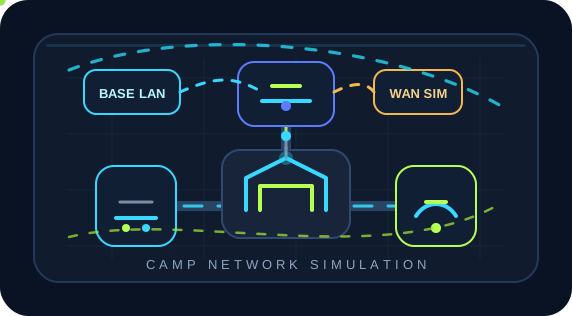
Topology

Test and Deployment Topology

STEP 1Campus Application Path Modeling
STEP 2ChaosBridge Impairment Reproduction
STEP 3NetAccura Traffic Generation Background Traffic
STEP 4NetAccura Traffic Generation PCAP Replay
STEP 5BestPerf and Flow Hunter Reports

How

Implementation

2

Reproduce Wired/Wireless and Circuit Impairments

Use ChaosBridge for roaming jitter, aggregation congestion, circuit delay variation, outages, bandwidth reductions, burst loss and reordering. Profiles describe network conditions without sensitive application data and can be reused for acceptance and exercises.

3

Generate Background Traffic and Load

Generate varied sizes, rates, addresses, ports and bursts alongside real office, video and transfer workloads. Observe switches, firewalls, gateways and wireless controllers at peak load.

Product Stack

Core Emulator and Supporting Tools

Result

Expected Outcomes

Expose Deployment Risks Earlier

Find wired/wireless, aggregation, circuit, gateway and video-uplink limits under impairments before users encounter stalls, disconnects or slow access.

Turn Exercise Plans into Repeatable Experiments

Reuse the same profiles, loads, samples and thresholds so builders, operators and vendors align on fault boundaries.

Review Faults with Curves and Captures

BestPerf supplies active curves and Flow Hunter supplies sessions/PCAPs, enabling replay, retests and evidence instead of descriptions alone.

Produce Reviewable Reports and Evidence

Deliver more than throughput or delay figures: include topology, parameters, timelines, quality curves, key sessions, anomalies, PCAP extracts and retest results. Development, testing, operations, vendors and customers can discuss the same evidence rather than relying on screenshots, verbal descriptions and repeated debate.

References

Related Standards and Methods

Next Step

Need to Apply This Solution to Your Network?

NetAccura can create a test topology, parameter table and POC plan based on your links, models, application protocols, available PCAPs and SLA goals.