1
Establish Campus Measurement Points
Deploy BestPerf at core facilities, offices, production areas, wireless controllers, exits, data centers and key buildings. Build quality matrices by building, SSID, exit, application and cloud service.
Solution Detail
BestPerf Network Quality Measurement + Flow Hunter Network Traffic Analysis
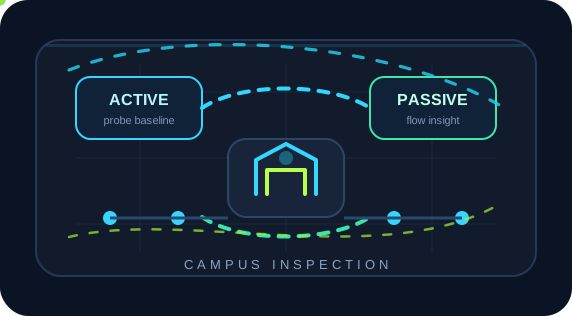
Combine active probing and passive traffic analysis to locate campus issues in wireless access, exits, core networks, DNS, servers or endpoints.
Core Emulation Equipment
Optional Supporting Tools
Products
3
Scenarios
6
Evidence
PCAP
Why
Campuses carry office, production, conferencing, guest Wi-Fi, IoT, surveillance, access control, parking, attendance and business applications. Industrial campus guidance emphasizes security monitoring, awareness and reliability, so checks must cover end-to-end quality and application access, not just port status.
Active tests detect RTT, loss, jitter, micro-outages and congestion early. Passive analysis explains real sessions, DNS/TLS/HTTP, retransmissions, server response and endpoint distribution. BestPerf and Flow Hunter enable continuous checks and faster isolation instead of reactive firefighting.
Topology
How
Deploy BestPerf at core facilities, offices, production areas, wireless controllers, exits, data centers and key buildings. Build quality matrices by building, SSID, exit, application and cloud service.
Deploy Flow Hunter at cores, exits, mirrored firewall ports, data center entrances or application aggregation points for sessions, top hosts, protocols, DNS/TLS/HTTP and PCAP evidence.
When BestPerf detects degradation, inspect real sessions in the same window. When Flow Hunter finds retries, slow DNS or HTTP errors, check whether active path measurements also changed.
Recreate roaming micro-outages, congestion, slow cloud access and conference stalls with ChaosBridge to validate endpoint, application, gateway or QoS changes.
Product Stack
Core Emulation Equipment
Optional Supporting Tools
BestPerf
Actively measure RTT, directional loss, jitter, micro-outages, TCP goodput and quality under load to establish link baselines.
Flow Hunter
Capture passively through mirrored ports or TAPs for L2-L7 analysis, session investigation, protocol-stage diagnosis and PCAP export.
Result
See RTT, loss, jitter, TCP goodput and real application stages along user paths, in addition to port/AP availability.
Combine active metrics with sessions to distinguish building access, wireless, exits, firewalls, DNS, servers and endpoints.
Deliver more than throughput or delay figures: include topology, parameters, timelines, quality curves, key sessions, anomalies, PCAP extracts and retest results. Development, testing, operations, vendors and customers can discuss the same evidence rather than relying on screenshots, verbal descriptions and repeated debate.
References
Industrial campuses need security monitoring, situational awareness, reliability and continuous support for industrial applications.
Explains the relationship between end-to-end TCP throughput, RTT, bottleneck bandwidth, buffering and user experience.
Next Step
NetAccura can create a test topology, parameter table and POC plan based on your links, models, application protocols, available PCAPs and SLA goals.