1
Extract Relevant PCAP Samples
Select captures by time, host, session, protocol stage or security event. Preserve context before and after the anomaly instead of isolating a single packet.
Solution Detail
NetAccura Traffic Generation PCAP Replay + Flow Hunter Network Traffic Analysis
Turn customer PCAPs from one-time captures into reusable assets for defect reproduction, root-cause analysis, fix validation, regression and release testing.
Core Emulation Equipment
Optional Supporting Tools
Products
3
Scenarios
9
Evidence
PCAP
Why
Field defects often depend on packet order, protocol boundaries, retransmissions, concurrent bursts, malformed fields, device state and link quality. Captures used only as attachments leave developers guessing from logs; repeatable lab replay turns them into inputs for reproduction and regression.
Common challenges include intermittent customer failures absent in the lab, protocol upgrades breaking older scenarios, no identical traffic for A/B fix checks, and releases tested only with synthetic loads. PCAP replay addresses these gaps.
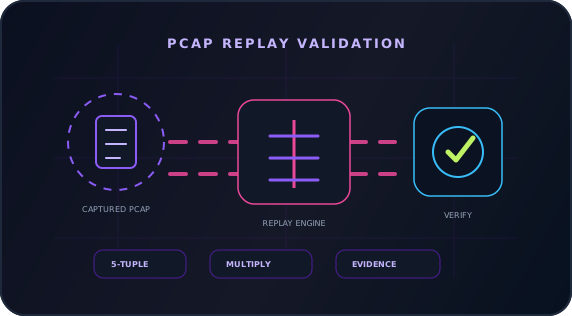
Flow Hunter extracts PCAPs and context around abnormal sessions, protocol stages, hosts and time windows. NetAccura Traffic Generation replays original timing or configured rates with optional IPv4/port rewriting and multiplication. ChaosBridge reproduces link conditions. Simultaneous generated background traffic requires another device; dynamic handshakes, authentication and responses require real endpoints.
Topology
How
Select captures by time, host, session, protocol stage or security event. Preserve context before and after the anomaly instead of isolating a single packet.
Import field PCAPs and configure address/port rewrites, rates, loops and multiplication for your lab. Test gateways, proxies, firewalls, NDR, load balancers, applications, protocol stacks or firmware.
Add ChaosBridge when RTT, loss, jitter, reordering, micro-outages or congestion matter. For concurrency or background-load triggers, use a separate Traffic Generation device for baseline, burst and multi-stream traffic alongside replay.
Compare before/after behavior with identical PCAPs, rates and impairments. Review errors, logs, alerts, blocks, response times, session state, protocol codes and resources. Flow Hunter records new session evidence to check resolution.
Save reproducible PCAPs, replay parameters, impairments, background loads and expected results as cases. Run them automatically or semi-automatically before releases to prevent recurring customer defects.
Product Stack
Core Emulation Equipment
Optional Supporting Tools
NetAccura Traffic Generation
Generate L2-L3 test streams. Software models also replay Ethernet PCAPs, rewrite IPv4 addresses and TCP/UDP ports, and multiply traffic for performance, security detection and issue reproduction. Stop all transmit tasks before switching modes. Simultaneous generation and replay require separate devices.
Flow Hunter
Capture passively through mirrored ports or TAPs for L2-L7 analysis, session investigation, protocol-stage diagnosis and PCAP export.
Result
Add field samples to regression, protocol compatibility, security and vendor collaboration libraries instead of archiving them after one incident.
Repeat packet input with identical captures, replay settings and impairments to compare code/configuration changes. Reproduction also depends on device state and application interactions.
Supplement synthetic tests with actual customer issue samples to reduce recurrence in new releases.
Deliver more than throughput or delay figures: include topology, parameters, timelines, quality curves, key sessions, anomalies, PCAP extracts and retest results. Development, testing, operations, vendors and customers can discuss the same evidence rather than relying on screenshots, verbal descriptions and repeated debate.
References
Next Step
NetAccura can create a test topology, parameter table and POC plan based on your links, models, application protocols, available PCAPs and SLA goals.